Graphify vs Codebase Memory MCP: What I Use and Why
14 min read Ali Arghyani
codebase-memorygraphifymcpai-codingnuxt
A few days after publishing my first article about Graphify, I removed it from the main workflow of the exact same project.
That probably sounds a little strange.
I had just written about how useful Graphify was, and then almost immediately switched to something else.
But the story is not really "Graphify was bad, so I found a better tool."
It was almost the opposite.
Using Graphify helped me understand what I actually wanted from this whole category of tools.
At first, I thought the problem was search.
AI coding agents kept searching for files, opening components, checking routes, finding another dependency, and slowly rebuilding an understanding of the project before doing the actual work.
After using Graphify, I realized search was only part of it.
The bigger problem was orientation.
Every new task started with questions like:
Where is this component used?
Where is it mounted?
What depends on this composable?
Which files belong to this feature?
What breaks if I change this?
Graphify gave me a map before that exploration started.
And once I got used to that idea, another question came up:
What if that map was even closer to the coding agent itself?
That is what pushed me toward Codebase Memory MCP.
By the time I started the migration, Graphify was not just a quick experiment anymore.
The graph for my Nuxt portfolio had grown to:
Before removing anything, I archived the full output and ran a few repeatable queries so I would have a real baseline later.
Three representative Graphify queries on my machine completed in roughly 474-753 ms.
So the problem was not that Graphify stopped working.
It worked.
And more importantly, it had already taught me something valuable:
I did not need to start every task by reading half the repository.
What changed was the kind of questions I was asking most often.
My portfolio is mainly a software project.
Nuxt, Vue, TypeScript, components, composables, routes, server handlers, and the relationships between them.
Most of the time I am not asking:
"Why did we make this product decision six months ago?"
I am asking:
"Where is this component used?"
"What calls this function?"
"What files make up this feature?"
"If I change this composable, what else might be affected?"
For that kind of work, Codebase Memory MCP fit my daily workflow better.
Codebase Memory exposes code-intelligence tools directly through MCP.
That means the coding agent can ask about architecture, search the graph, search source code, trace paths, check index coverage, or inspect change impact inside the same working session.
That mattered to me.
The graph was no longer something sitting next to the workflow.
It became one of the agent's tools.
After indexing the project, Codebase Memory reported:
But I stopped caring about the node count pretty quickly.
A bigger graph is not automatically a better graph.
What mattered was whether it helped with real questions.
It did.
It found the bilingual blog architecture.
It found most of the resume PDF flow.
It found
usePortfolioSeo
But it also missed things almost immediately.
For example, the Nuxt server endpoint behind
/api/resume/pdf
And
trace_path
That gave me a rule I still use now:
If the graph does not find something, that does not mean it does not exist.
That matters even more in Nuxt because conventions, file-based routing, and auto-imports create relationships static analysis may not model perfectly.
The first real test after restarting Codex did not go well.
The Codebase Memory MCP tools were visible.
I called
list_projects
Transport closed.
Then
index_status
Same result.
Then
get_graph_schema
Same again.
The easy way out would have been to say:
"Well, the CLI works, so Codebase Memory is fine."
But that was not the workflow I had migrated for.
I wanted Codebase Memory running inside Codex through MCP.
If the CLI worked but the MCP workflow did not, then the migration was not successful for my use case.
So at that point the verdict was simple:
FAIL
I kept narrowing down the problem.
The index was healthy.
The binary was fine.
The CLI worked.
Raw MCP could initialize, expose tools, and even handle a real tool call.
That started pointing more toward the Codex MCP session/transport layer than toward a broken graph.
Eventually the native MCP calls inside Codex started working again.
But one successful session was not enough.
I fully restarted Codex three separate times and ran the same MCP sequence from a clean session each time.
All three passed.
The first
list_projects
Once the session was established, calls like
index_status
get_architecture
search_graph
I do not compare those numbers directly against the Graphify measurements because the execution paths are different.
The more important result was that the actual workflow I wanted survived three clean starts in a row.
Only then did I commit the migration.
For me, installing a tool means very little. The migration is successful only when the workflow I actually plan to use every day works reliably.
After all that testing, I had no interest in running another artificial benchmark.
I already had a real problem to solve.
The mobile version of my portfolio needed work.
The header was crowded.
The language selector was too wide.
Navigation, language selection, and theme controls were all fighting for the same small amount of horizontal space.
I also wanted a proper mobile bottom navigation without changing the desktop layout.
That became my first real development task with Codebase Memory as the main code-intelligence layer.
Before opening files one by one, I asked the graph to help me understand the area.
It quickly surfaced:
TopNav
LanguageSwitcher
ThemeCustomizer
default layout
useSectionObserver
BottomNav
Then it found something genuinely useful.
I already had a
BottomNav.vue
It just was not mounted in the default layout.
That sounds like a small discovery, but it directly changed the implementation.
If I had started only from the screenshot, I could easily have built another bottom navigation from scratch.
Instead, I inspected the existing one, refactored it, and used it.
That is exactly what I want from this kind of tool.
I do not need it to build the feature for me.
I want it to say:
"Before you start writing new code, there is already something relevant here."
The final feature touched ten repository files.
The obvious ones were the header, bottom navigation, and language selector.
But the task also ended up touching the theme control, layout, section-scrolling logic, responsive CSS, English and Persian translations, and even the Work Experience component because a timeline was causing horizontal overflow at 320px.
CBM was good at narrowing down the initial area.
It was much less complete when I looked at the final change impact.
detect_changes
But the real user-facing impact was wider:
That made another distinction very obvious to me:
A dependency in the code graph is not always the same thing as a dependency in the UI.
A graph can tell me where
useSectionObserver
It cannot open the site at 320px and tell me that a timeline is pushing the entire viewport sideways.
That is still the browser's job.
I ended up validating the page at 320, 375, 390, 430, 768, 1024, and 1440 pixels, in both English/LTR and Persian/RTL.
CBM helped me understand where to look.
It did not prove that the result was correct.
If I reduce this whole experience to "Codebase Memory is better than Graphify," I think I would be misrepresenting what I learned.
After using both, their roles actually became clearer.
They overlap, but I do not see them as the same tool anymore.
The question I ask now is not:
Graphify or Codebase Memory MCP?
It is:
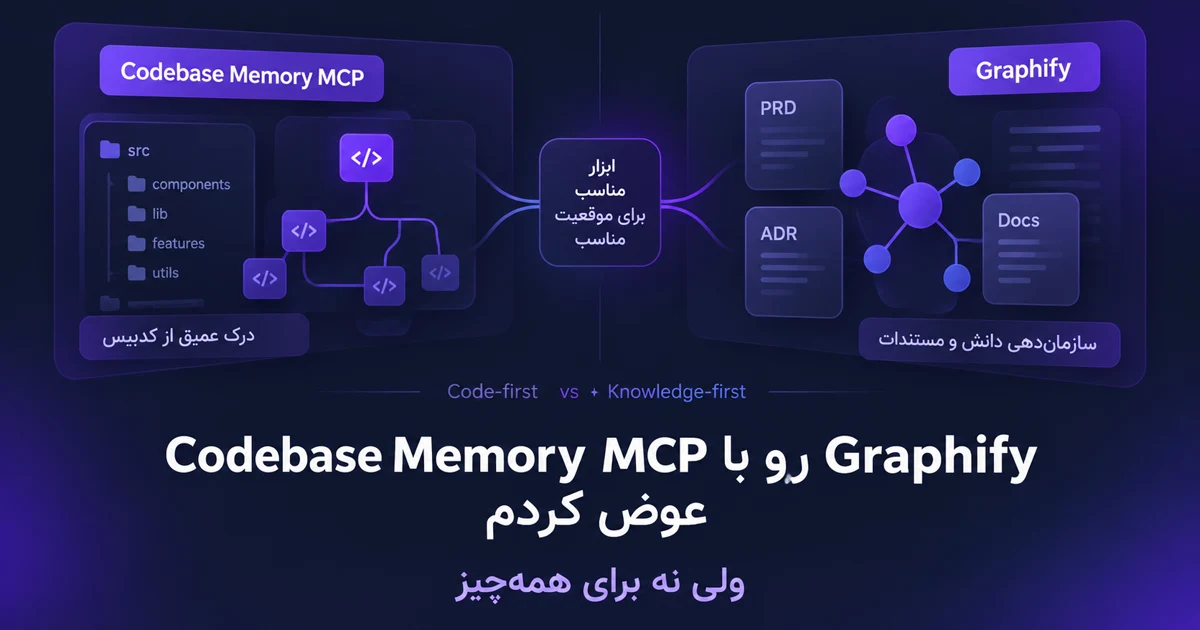
Is this project mainly code-oriented, or knowledge-oriented?
That distinction changes everything.
Take my portfolio as an example.
The project is mostly code.
When I work on it, I mostly care about the current implementation.
I want to know:
For that kind of work, Codebase Memory feels like the more natural choice for me.
It is close to the coding agent, and most of the questions are directly about the codebase.
If I were working on a Nuxt app, React app, backend service, API, or library where most of my work was implementation, debugging, and refactoring, I would probably start with CBM.
I think of it as a map of the current implementation.
This is where I still see Graphify as very valuable.
Imagine a project where the codebase is only part of the real system.
You might also have:
In that kind of project, understanding the code alone does not mean you understand the product.
The important question might not be:
"What calls this function?"
It might be:
"Why was this flow designed this way?"
"Which PRD introduced this rule?"
"Where was this architecture decision made?"
"Does the current implementation still match the ADR?"
"Where did this business constraint come from?"
"Which concepts appear across several repositories and documents?"
That is where Graphify becomes interesting in a different way.
It can work with code, but it can also build semantic relationships across documentation, PDFs, images, and other project material.
For that kind of project, I would think of Graphify more as a project knowledge map than simply a code graph.
Codebase Memory is the tool I reach for when I am asking, "What does the current implementation look like?"
Graphify becomes more interesting when the question turns into, "Why does the system look like this, and where is the knowledge behind those decisions?"
This is probably the most interesting option for larger products.
I can absolutely imagine using Graphify and Codebase Memory together.
But I would not point both tools at the entire project and build two overlapping graphs of the same material.
That creates a new problem.
Now there are two graphs.
Two update lifecycles.
And potentially two different answers to the same question.
If I use both, I want clear ownership.
I would use CBM first for things like:
I would use Graphify first for things like:
So if CBM helps me answer:
"How does this feature work in the code right now?"
Graphify can help answer:
"Why was the feature designed this way in the first place?"
Those are different questions.
This part matters.
If the question is about implementation, I still open the source code.
If it is about a requirement, I still read the actual PRD.
If it is about an architecture decision, I still check the ADR.
If it is about runtime behavior, I still run the software.
The graph helps me get to the right source faster.
It does not replace the source.
If I were using both tools on a larger product, I would probably structure the responsibility something like this:
Codebase Memory
|-- frontend repository
|-- backend repository
`-- shared packages

Graphify
|-- PRDs
|-- ADRs
|-- architecture documents
|-- research
|-- business/domain documentation
|-- PDFs and diagrams
`-- cross-repository concepts
If the agent needs to know which components consume a composable, it goes to CBM.
If it needs to understand why the feature exists, what the original requirement was, or how a decision evolved, it goes to Graphify.
That makes much more sense to me than having both tools index the same 500 files.
A small project with a handful of components and one README probably does not need two graph tools.
It might not need either of them yet.
If 90% of the project is code and the documentation is just a few normal files, CBM alone is probably enough for me.
On the other hand, if a repository is mainly PRDs, product research, architecture decisions, and documentation, Graphify may make more sense.
Using both starts to become useful when there are genuinely two important corpora:
one for implementation,
and one for knowledge.
And both are large enough that finding your way around them has become a real cost.
If I had to choose today, I would think about it like this:
| Project type | What I would start with |
|---|---|
| Mostly code and implementation | Codebase Memory |
| Mostly PRDs, documentation, research, and domain knowledge | Graphify |
| Serious codebase plus serious knowledge base | Both, with clear boundaries |
| Small/simple project | Probably neither yet |
This is not a scientific benchmark.
It is just where I have landed after actually using both tools on a real project.
And I fully expect that opinion to change as the tools evolve.
For my Nuxt portfolio, Codebase Memory is currently the main code-intelligence layer.
When a new task comes in:
I use CBM to understand where the problem lives.
Then I open the actual files.
Then I make the change.
If it helps, I use impact and coverage tools afterward.
And finally, I validate the real behavior.
For UI work, that means the browser.
For backend work, it might mean tests and runtime validation.
If Nuxt framework magic is involved, I assume the graph may have blind spots until I verify otherwise.
But if this project eventually grows a serious layer of PRDs, ADRs, research, architecture documents, and long-lived product decisions, I would have no problem bringing Graphify back.
Not as a replacement for CBM.
As a different layer with a different job.
Neither.
And I think that is the better answer.
Graphify helped me understand how useful a project map can be when working with AI coding agents.
Codebase Memory showed me that for an active codebase, that map can be even more useful when it sits directly inside the coding workflow.
Then CBM also showed me its limits pretty quickly.
It does not understand every piece of Nuxt framework behavior.
It does not replace source inspection.
And it definitely does not replace the browser.
What I have now is a much clearer model:
A software project needs a map of its implementation.
A serious product also needs a map of its knowledge and decisions.
Sometimes one tool can cover enough of both.
Sometimes it is better to keep those responsibilities separate.
For my portfolio, CBM is enough right now because the project is heavily code-oriented.
For a project where PRDs, ADRs, research, and domain knowledge are a major part of the system, Graphify is still a very serious option for me.
And for a project that genuinely lives in both worlds, using both makes complete sense, with one condition:
Codebase Memory owns the current code. Graphify owns the knowledge and reasoning behind it. And for the final answer, I still go back to the original source.